






CHOOSE YOUR MODE
All games →
Browse Game Categories
MORE TO PLAY
View full library →
All Games
 ▶ Play
Antistress relaxation toys
Hypercasual ▶ Play
Ninja Obby Parkours
3d ▶ Play
Mini Dice Chess
Sports ▶ Play
Stickman: Fighter 3D
Action ▶ Play
Chill Tic Tac Toe
Hypercasual ▶ Play
Bubble War
Arcade ▶ Play
space io
Action ▶ Play
Edge of Survival
Adventure ▶ Play
Splashy Sub
Adventure ▶ Play
Alien Memory
Hypercasual ▶ Play
Stick Arena: Stickmen
Action ▶ Play
2 Player Games Kids Kitchen
Hypercasual ▶ Play
magical tic tac toe
Puzzle ▶ Play
Jelly runner platform
Arcade ▶ Play
Boom Duello
Action ▶ Play
Head Ball Challenge
Sports ▶ Play
Skate Xmas
Arcade ▶ Play
Winter Battle
Arcade ▶ Play
Duo Family Santa
Arcade ▶ Play
Dots and Boxes 2
PuzzleFree 2 Player Games Online
2 Player Games is a place to discover free browser games made for playing together. Whether you want to challenge a friend sitting next to you, work together to complete a level, compete in a quick sports match, or play against other people online, you can browse our collection and start playing directly in your web browser.
Many of the games in our library are designed for two people sharing the same computer, keyboard, touchscreen, or device. Others support multiplayer gameplay where players compete or cooperate online. There is no single type of two-player game, which is why our collection includes racing, fighting, sports, puzzle, arcade, adventure, shooting, strategy and other styles of play.
What Are 2 Player Games?
A 2 player game is a game that allows two people to take part in the same game session. Depending on the title, the players may compete against each other, cooperate toward the same objective, or simply play side by side. The rules and controls vary from game to game, but the shared experience is what makes this category different from traditional single-player games.
Local two-player games are especially convenient when both players are in the same room. A keyboard game, for example, may give one player the WASD keys while the second player uses the arrow keys. Other games divide touchscreen controls between two sides of a mobile device. This makes it possible to start a match without creating separate accounts or connecting two computers.
Online multiplayer games work differently. Each person may connect through their own device and join a shared game environment. Because every title has different features, check the individual game page and its instructions to understand whether a game supports local play, online multiplayer, or another type of gameplay.
Play Games With a Friend on the Same Device
Sharing one device can make a simple browser game much more entertaining. Instead of playing against a computer-controlled opponent, you can immediately see how another person reacts. A close race, last-second goal, unexpected puzzle solution or perfectly timed move can turn a short game into a memorable competition.
Same-device games are also easy to start. Choose a game, read its controls, decide who will use each set of keys or controls, and begin. Some games are designed around short rounds, making them useful when you only have a few minutes. Others have levels or longer challenges that encourage players to continue working together.
If you are using a keyboard, make sure both players have enough space to use their assigned keys comfortably. Some keyboards can have limitations when several keys are pressed simultaneously, so controls that work well can depend on the particular game and device.
Competitive and Cooperative Games
Not every two-player game is about defeating the other person. Two of the most common styles are competitive and cooperative play, and they create very different experiences.
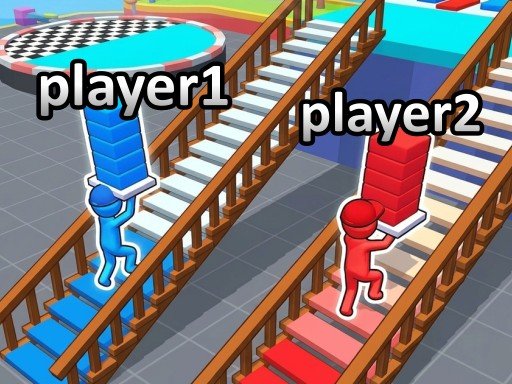
In a competitive game, each player normally has an individual objective. You might race to the finish line, score more goals, win a fight, survive longer or earn more points. These games reward quick reactions, practice and learning how the other player approaches the match.
Cooperative games ask both players to work toward a shared objective. One player might activate a switch while another crosses an obstacle, or both players may need to defend the same position. Communication becomes important because success can depend on coordinating movements rather than simply being faster than your partner.
Neither style is necessarily better. Competitive games are a good choice when you want a direct challenge, while cooperative games can be more enjoyable when you prefer solving problems together.
Popular Types of 2 Player Games
Two-player gameplay can be combined with almost any game genre. If you are not sure what to play, thinking about the type of challenge you enjoy can make choosing a game easier.
Fighting Games
Fighting games put players into direct competition. Movement, attacks, defensive actions and timing are often important. Matches can be short, which makes this category suitable for playing several rounds and switching opponents.
Racing Games
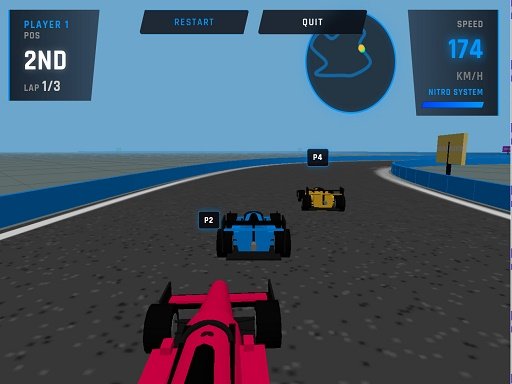
Racing games challenge players to reach the finish before their opponent. Depending on the game, you may control cars, motorcycles or other vehicles while dealing with corners, obstacles, boosts and different tracks.
Sports Games
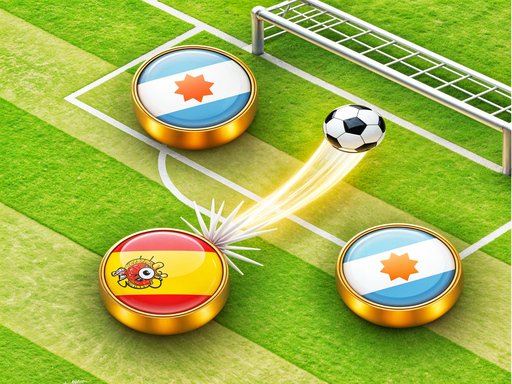
Sports games can turn familiar activities into quick head-to-head matches. Football, soccer, basketball and other sports-inspired games often use simplified browser controls so that new players can understand the basics quickly.
Puzzle Games
Puzzle games focus more on thinking than speed. Players may cooperate to solve a challenge or compete to see who can find the solution first. These games can involve logic, memory, matching, physics or carefully planned movement.
Arcade Games
Arcade games are usually easy to begin but can become increasingly challenging. They often focus on movement, timing, scoring and repeated attempts, making them a useful choice for quick play sessions with friends.
Adventure and Strategy Games
If you prefer longer challenges, adventure and strategy games may require exploration, planning, resource management or teamwork. Players often need to think about what to do next rather than relying only on fast reactions.
How to Choose a Game to Play
Start by deciding how you want to play. If two people are sharing one computer, look for games with local two-player controls. If you are playing from different devices, look for multiplayer features supported by the individual game. You can use the categories on this site to narrow the collection and the search feature to find a particular title.
Next, consider how much time you have. A quick racing, sports or fighting match can be convenient for a short session. Puzzle, strategy and adventure games may be a better choice when both players want to spend more time learning mechanics or completing levels.
Difficulty also matters. If one person has considerably more gaming experience than the other, a cooperative game can sometimes provide a more balanced experience than direct competition. When both players enjoy competing, try several games and see which controls and mechanics feel best.
How to Play Games on 2 Player Games
Browse the games displayed above or open one of our game categories. Select a title to visit its dedicated game page. The player appears directly on that page, so supported games can be played through a modern web browser without installing the game as a separate desktop application.
Before starting, read the available instructions and controls on the game page. Controls are not identical across the library. One title might use WASD and the arrow keys, while another may use the mouse, touchscreen buttons or a different combination of keys.
We also provide information around the player to help you understand what you are opening. Depending on the information available for a title, its page can include a description, category, tags, controls, instructions, player ratings and related games. This makes it easier to move from one game to another without searching the entire library again.
Play on Desktop, Tablet or Mobile
Browser games can support a variety of devices, but compatibility depends on the individual game. Desktop and laptop computers are often convenient for games designed around keyboard controls because two players can use different areas of the same keyboard.
Many HTML5 games can also run on phones and tablets. Touch-friendly games may provide on-screen controls rather than requiring physical keys. However, a game originally designed around a keyboard may provide a better experience on a desktop or laptop. Check the game's controls before starting if you are unsure which device to use.
Screen size can also affect the experience. Two people sharing a small phone may have less room for simultaneous controls than they would on a tablet or computer. For local multiplayer sessions, choose the device that gives both players comfortable access to the controls.
Why Browser Games Are Convenient for Two Players
One advantage of browser gaming is the short distance between discovering a game and trying it. Instead of installing every title separately, you can open a supported game page and begin playing in the browser. This is particularly useful when you are playing with someone else and simply want to find a game quickly.
A browser-based library also makes experimenting with different genres easier. You can play a racing game, move to a puzzle, try a sports match and then explore an arcade title without treating each game as a separate installation. If one game is not a good fit for both players, return to the categories or related games and choose another.
Tips for a Better Two-Player Experience
Read the controls before the first round. Many apparent gameplay problems simply come from using the wrong keys. Give each person enough room around the keyboard or touchscreen, especially when a game requires fast simultaneous movement.
It can also help to play a practice round before treating the result competitively. Different games have different movement speeds, physics and control styles. Giving both players a moment to understand the mechanics usually produces a more enjoyable match.
For cooperative games, communicate about what each player is going to do. For competitive games, consider switching sides or controls after several rounds when the game gives one position a different experience. Most importantly, choose games that both players actually enjoy rather than focusing only on winning.
Finding More Games
The homepage highlights a selection of games from the current library. Use All Games when you want to browse more titles, or use Search when you already know the name of a game you want to find. Category pages provide another way to explore titles with similar gameplay.
Individual game pages also include related recommendations, allowing you to continue browsing after finishing a game. Player ratings can provide another useful signal when comparing titles, although the game that is most enjoyable will ultimately depend on the players and the type of challenge they prefer.
About the Games in Our Library
2 Player Games provides access to browser games from third-party game providers and publishers. The games themselves remain associated with their respective providers and rights holders. We organize the library into game pages and categories so visitors can more easily discover titles and understand how they are played.
Because browser games and external services can change, a game may occasionally become unavailable or stop working correctly. If you encounter a broken, inappropriate or incorrectly listed game, use the report option available on its game page. Reports help identify titles that may need to be reviewed.
For copyright-related concerns, rights holders can review our DMCA information. You can also learn more about the website on our About page or reach us through the Contact page.
Start Playing Together
Two-player games can be competitive, cooperative, strategic or simply chaotic fun. The best choice depends on who you are playing with and what kind of challenge you want. Explore the games above, choose a category that interests you, check the controls and invite a friend to play.
Whether you have a few minutes for a quick match or want to work through a longer challenge together, our goal is to make finding free 2 player games straightforward. New games can be added to the library over time, so there will be more titles and categories to explore as the collection develops.